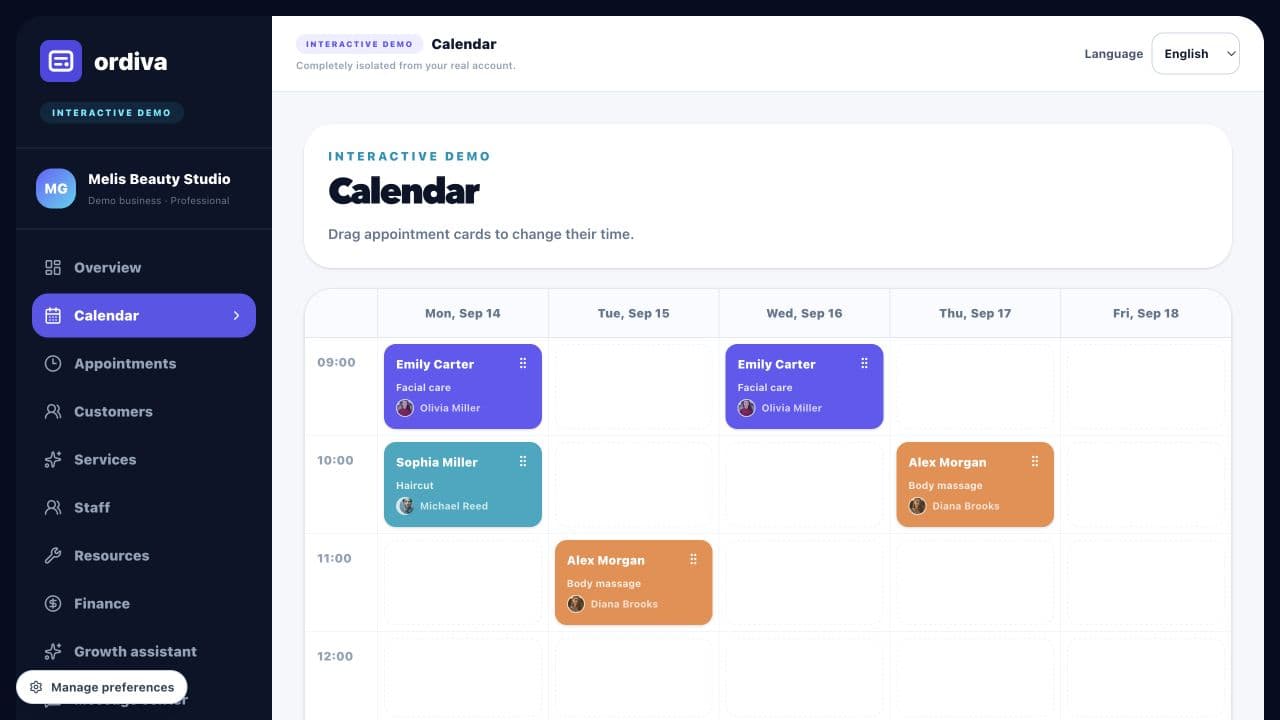
Reserve realistic session times
Set the duration of each appointment type and allow for the time your practice needs between sessions. Review working hours before sharing available times.
ORDIVA FOR PRACTICES
Plan consultation times, professional availability and room usage. Keep appointment administration separate from confidential clinical documentation.
Account creation and plan selection happen in the mobile app; the web panel opens when your account is ready.
Ordiva panel
09:30 · Haircut
Customer and staff information in one view
10:30 · Facial care
Customer and staff information in one view
13:00 · Body massage
Customer and staff information in one view
15:30 · Manicure
Customer and staff information in one view
Ordiva is now on Android
Scan with your Android phone’s camera to open Ordiva on Google Play.
MAKE YOUR BUSINESS EASIER
Set the duration of each appointment type and allow for the time your practice needs between sessions. Review working hours before sharing available times.
Assign the professional and relevant room to the service. Test absences and overlapping resource use before publishing the booking link.
Use the existing customer record when arranging a follow-up. Check the next date and availability rather than assuming an automatic recurring series has been created.
FEATURES
EXAMPLE WORKFLOW
This is an illustrative business scenario, not a real customer result or a guaranteed performance claim.
Define services and duration: Reserve realistic session times.
Plan staff, resources, and availability: Coordinate people and rooms.
Share the online booking link so customers can choose a suitable time.
Review operations and customer flow at the end of the day: Manage repeat appointments.
Guide
Explore practical content to improve your operations.
FREQUENTLY ASKED QUESTIONS
The features described here concern scheduling and business administration. Do not assume clinical-note management, video consultations or healthcare-specific compliance. Evaluate the data you intend to store and your practice requirements separately.
Explore actual Ordiva demo screens using fictional sample data. These are product examples, not customer results or testimonials.