ORDIVA · FOR YOUR BUSINESS
Appointment management
Plan services, staff availability and customer appointments together. Review completed work before closing the day.
Build the schedule around real availability
Set each service’s duration and eligible staff. Check working hours, leave and shared resources before promising a time. A free staff member does not imply that the required room is free.
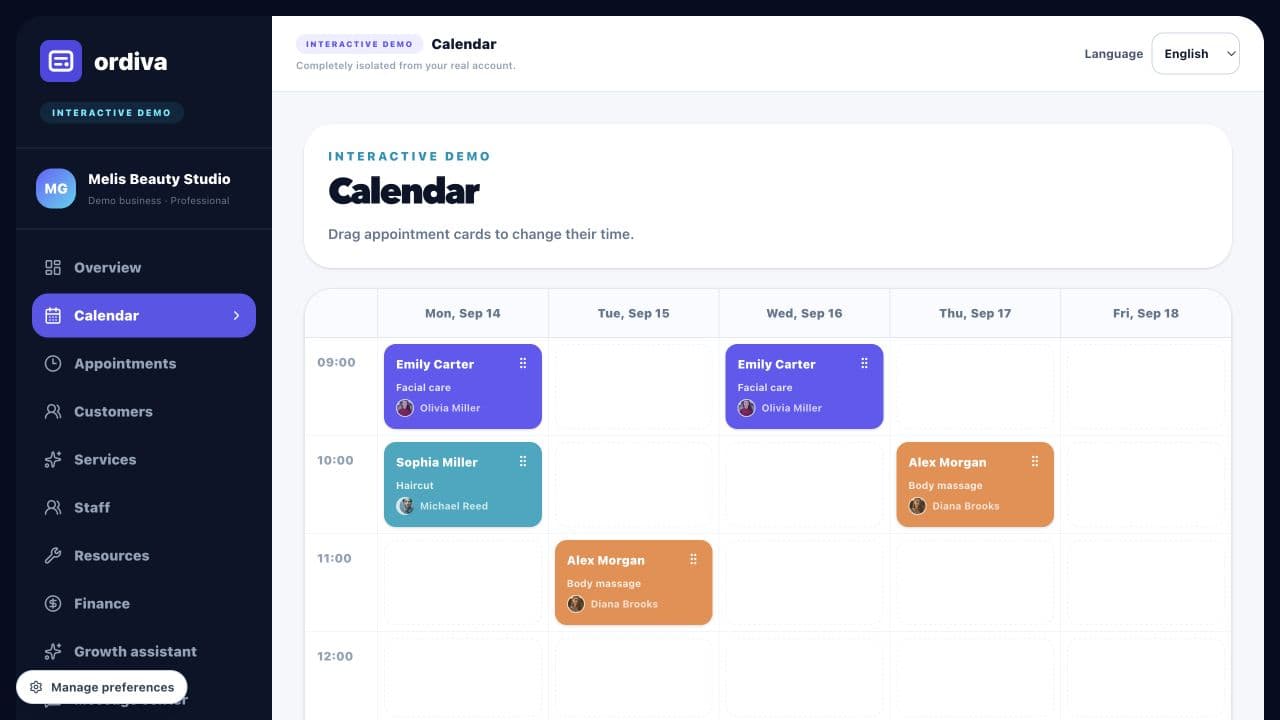
Keep changes in one calendar
Record phone requests and walk-ins alongside online appointments. When moving a booking, check the new staff member, time and service before saving. Update cancellations so the calendar reflects actual capacity.
Close the day with reliable records
Review completed and cancelled appointments separately. Check payments and expenses for the same period; a fully booked calendar is not the same as collected revenue.
Product examples
Explore actual Ordiva demo screens using fictional sample data. These are product examples, not customer results or testimonials.