INDUSTRY GUIDE
Spa appointment app: schedule therapists, rooms and services together
Ordiva helps a spa or massage business keep appointments, staff availability, customers and finances in one workspace. Start by modelling the capacity you actually have: a free therapist does not always mean a free treatment room.
Ordiva ·
Build a service menu with realistic durations
Create separate services for treatments with different durations and prices. Assign the staff who can perform each service and connect the relevant room or shared equipment. Include preparation and turnaround in your operating plan instead of treating every empty calendar cell as bookable.
For example, a 60-minute treatment followed by 15 minutes of room preparation occupies 75 minutes of room capacity. Use your own timings; this is a planning example, not a preset service duration.
Check room availability alongside the therapist
Add physical rooms and equipment to the resource pool and associate them with services. Avoid creating multiple records for the same physical room just because several therapists use it. That can make your capacity model misleading.
Before opening online bookings, test two appointments that would need the same room at overlapping times. Also test a therapist’s day off and a treatment that would extend beyond closing time.
Bring phone and online bookings into one calendar
Share the customer booking link after service and staff setup is complete. Customers can choose a service, specialist and available time. Record phone requests in the same calendar promptly so the team does not promise capacity that has already been used.
Customer profiles keep contact details, previous appointments and notes together. Use the existing customer record for a repeat visit rather than opening another profile each time.
Evaluate a spa management app with your own workflow
Review completed services and finance data for the same period. A busy appointment calendar is not the same as collected revenue: cancellations, payment timing and expenses matter. Check package usage separately when your business sells a series of treatments.
If you offer couples treatments, hotel room charging or services requiring multiple therapists at once, verify those exact workflows with your own configuration before choosing a plan. The public beauty demo is a simplified appointment example and does not demonstrate those specialist spa workflows.
Getting started and pricing
Create your account and choose a plan in the mobile app, then use the same account in the web panel. Check current prices, staff limits and available features in the plan screen. The interactive demo lets you examine services, staff, resources and appointments before setting up your business.
A practical checklist for choosing a spa appointment app
Compare software using a normal working day, not just a list of features. Write down the treatment, therapist, room and time for each test booking. A useful evaluation shows whether the whole appointment can be delivered, rather than simply whether a slot appears on a calendar.
- ✓Create a 60-minute massage with the correct therapist and treatment room, then try an overlapping booking for that same room.
- ✓Add a phone booking and check what the next customer can book online. Move the appointment and verify the new time in the staff calendar.
- ✓Record a completed treatment and its payment, then check that the appointment and finance reports describe the same transaction.
- ✓If you sell treatment packages, test a package purchase and a redeemed session separately. Confirm the remaining entitlement before the next booking.
Measure the first week before changing your prices
Keep three separate totals: time available for treatments, time actually used for completed treatments, and money collected. For example, if a room offers 30 hours after preparation time and closures and completed treatments use 21 hours, room utilisation is 70%. This illustrative figure says nothing by itself about profit; staff costs, supplies and other expenses still matter.
Review empty periods by treatment and day of the week. If short appointments leave gaps that longer services cannot use, first review durations and scheduling. If bookings are cancelled but quickly filled again, distinguish that recovered capacity from time lost to no-shows. The linked room-planning guide and operating checklist explain how to record those differences.
Worked example: two therapists, one treatment room
Two therapists are working from 10:00 to 12:00, but the business has one treatment room. A 60-minute treatment plus 15 minutes of preparation occupies that room for 75 minutes. The room can fit one complete 75-minute cycle in that two-hour window, even though the staff schedule contains four hours of combined availability.
Write down room capacity and staff capacity separately. Adding a therapist does not add a room, and counting only treatment minutes can hide preparation work. This is a planning example; confirm how service duration and resource configuration represent the full occupied interval in your business.
What you can inspect in the public demo
Choose the Beauty center example to inspect a treatment business with a massage service, staff and rooms. It is a related demonstration, not a complete spa configuration.
- ✓Open Services and Resources to review the sample massage service and room list. Resource edits in the public demo are illustrative records, not a full resource-conflict test.
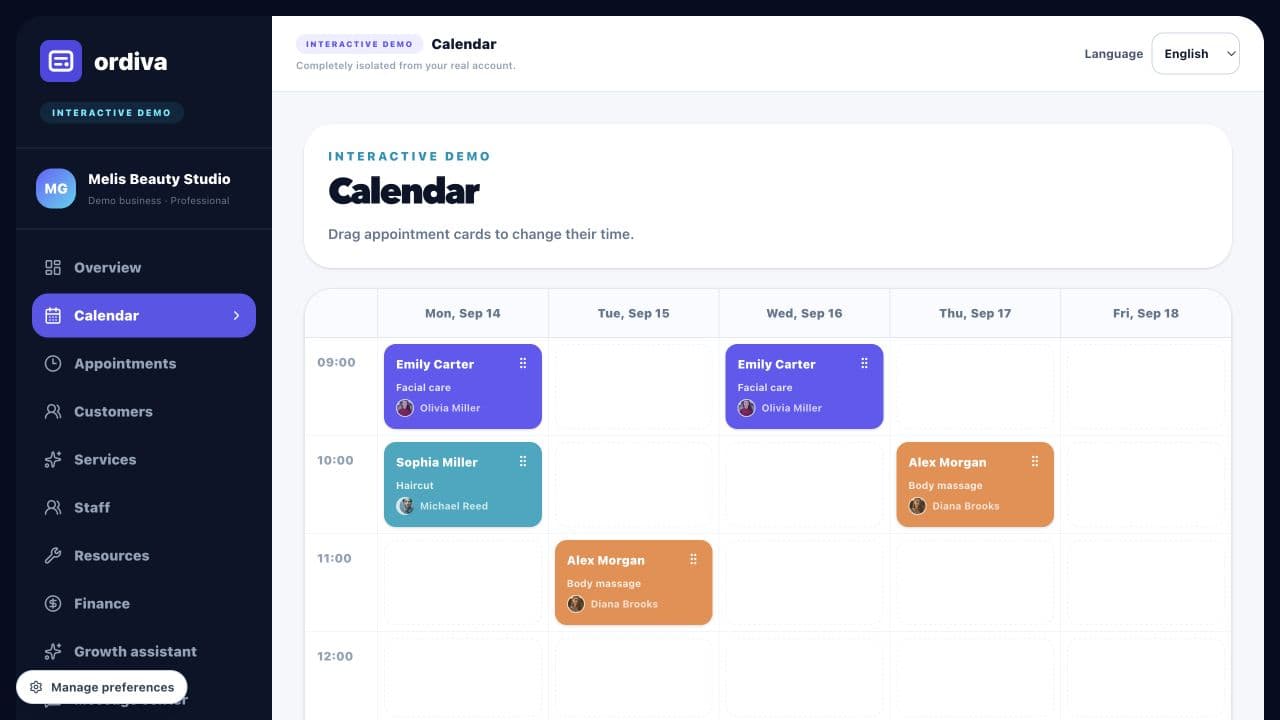
- ✓Move a sample appointment into a free calendar cell. Check a therapist’s real working hours and room conflicts separately in a configured business account.
- ✓Open Finance to review the distinction between sample gross revenue, illustrative tax, staff costs and profit.
- ✓Run the Growth assistant sample analysis to explore a free-slot opportunity and a package-renewal example. It does not send customer communications.
A practical setup test for two therapists and one treatment room
Start in the Android app with your business profile. Add the therapists and their working hours, then define the physical treatment room once in Resources. Create the treatment in Services and associate the suitable staff and resource. Use your own treatment and preparation times.
Create one test appointment and check an overlapping request that would require the same room. A second available therapist should not be treated as a second physical room. Verify the result in your configured account before opening online bookings; the public beauty demo is an interface tour, not a spa room-conflict simulator.
- ✓One resource record corresponds to one physical room.
- ✓Each treatment has its own duration and suitable therapists.
- ✓Time off and room turnaround are included in the operating plan.
- ✓Cancel the sample booking and check availability again.
Evaluate the app with a repeat-client visit
Find the existing customer profile, review relevant appointment history, and create the next treatment from the correct customer record. If a package is used, inspect remaining sessions as well as the payment record. A completed session, a new booking and a new payment are different events; do not count all three as new revenue.